Road to Lumina Studio 0.2.0 pt.2
Well, turns out I wasn't really done blabbing about the 0.2.0 and the significance of it at least for me and the team.
All of us are testing the capabilities of the engine from end to end, we are experimenting and testing all of our production pipelines from 2D art, 3D art, effects, sounds, custom tooling, and scripting. Upon reaching this milestone, we would have covered a a lot of things already that are critical for the development of the Tomorrow Project.
Scripting Updates
I initially wanted to support dotnet 8, well at that it was the lowest "modern" dotnet that made sense. I didn't initially go for 10, because I was too comfortable with 8. But then I found out that the 8 is already EOS by 2026, I then decided to just use 10. Oh boy I did have some problems with it.
Dotnet 10 Regression
I've been doing meta-programming in C#, I love it, and I believe that's the best way to do things (just me). Most of my code in the game follows that ideology and when I moved to Dotnet 10, I faced an issue with the language update.
Tbf, I am not that familiar with the internals of C#, so I had an AI check what was going on because the systems that I used since .NET framework, and .NET 8, doesn't work now in Dotnet 10.
Even with AI, I didn't really understand the whole picture of it, it has something to do with caching the virtual functions and generics etc., and it is eveident only during assembly load switches (which I do when I go from play to edit mode and vice versa), and it suggested to just steer away from that procedure until it is fixed.
Which didn't really land good to me because it was absurd to for me to change my code, if the language itself has a problem.
"My" Solution
As a person who loves the habit of making things more complicated, I resulted to forking the dotnet runtime, and fix the issue myself.... well with AI because I'd have to study how all of this works. It was a hotfix, and I wanted to spend some time to thoroughly check it before doing an actual fix.
Well, anyway, the AI's fix was okay, the problem was fixed, but I am not confident with it. But if it allowed me to move forward, then it's a bit okay.
Anyway, there it was, the engine now is capable of switching its runtime from the official and a custom dotnet runtime. Which is a bit of a hassle because I have to ensure that the engine and the game is using that custom runtime.
Sub-Assets
This was a long decision process for the assets. I initially wanted to auto generate assets that are supposed to be part of certain assets:
- 3D files that includes materials, textures should be just generated and be accessible in the asset browser
- Spritesheets that contains region should just generate sprite textures so that they are easily draggable.
With #2 though, I'm afraid that I was missing some optimization opportunities because bringing a single texture to the GPU is much, much more efficient than uploading them one by one.
Surely I can create an atlas for them, but then I would have added some complexity to that. Which could have been solved by doing sub-assets.
What are they really?
It varries on uses, but in our case, sub assets are representation of assets that are inside other assets. These are meshes inside gltf files, embedded textures, etc., also the sprites or rather regions of sprites that are included in the sprite sheets.
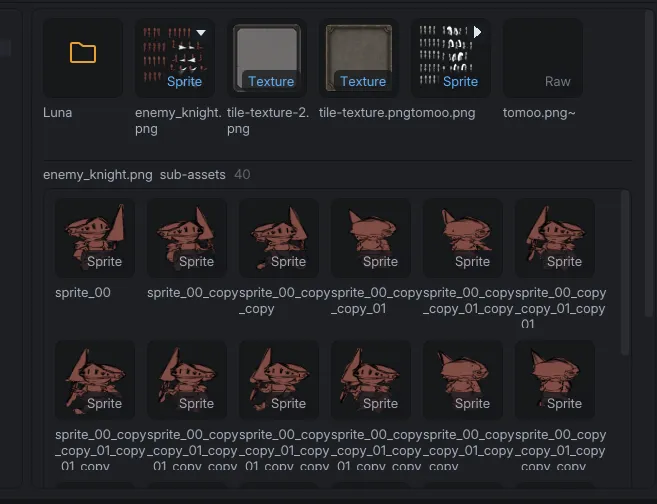
These are recorded in the metadata file that sits along the sprite sheet, and has corresponding UUIDs that are tied to actual SpriteAsset constructs.
Since these are "real" assets, I can now use them freely in sprite components or UIs of the entities. This also helps me to organize assets properly.
Upcoming Features
I wouldn't say really new features. These features are upgraded from what they are before since when we tested them, most of these needs some corrections or improvements:
Custom Shaders
This is one of the priorities of the 0.1.6 update. Prior to this, custom shaders are quite limited to PBR materials, just to change how they generally look, and their fragments. I couldn't do any custom shaders for 2D, and even for particle systems.
With the 0.1.6 update, visual authoring worflow will be improved and allow us to create interesting visual effects for different aspects of the meshes, 2D sprites, particles, post-processing, and full-screen effects by providing shaders proper uniforms to access and edit.
Prefab Stability
Prefabs are going to be cached internally for faster instantiations. Prefab's lifecycle is going to be corrected as well so that it doesn't have to be parsed when ever an instantiation is requested.
Instantiation Updates
Currently instantiations are limited to prefabs, now we would be upgrading it to allow instantiations for existing entities.
Draw Indirect and Packed Buffer
This was the missing piece and one of the reasons why the preivous particle system was unstable, the engine now will introduce draw indirect for both particle system and 3D meshes. This includes a new buffer, a PackedBuffer, which acts as a mega geometry buffer for 3D meshes to improve batching.
Engine Owned Graph and Editor Scripting Updates
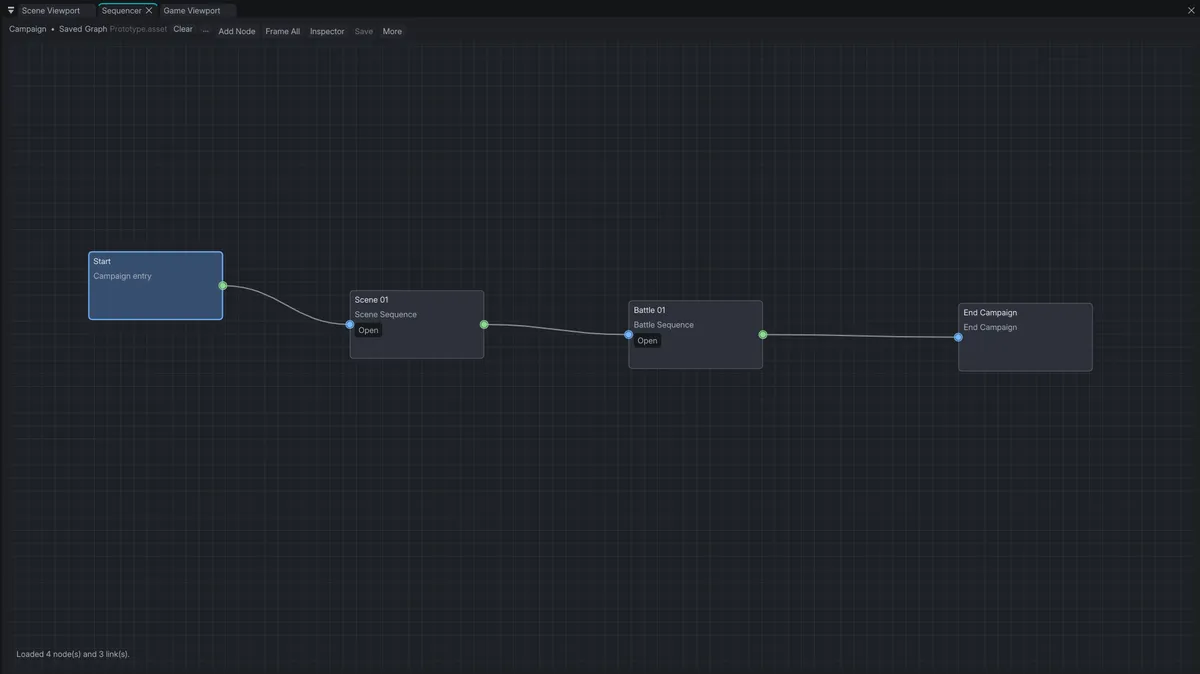
This was mentioned in part 1 of this, and I am particularly excited for this because this will open up new two ventures that I've been wanting to add to the engine, a material graph, and a VFX graph. Maybe an Audio Graph? That would be insanely cool too.
At least these are the things that I remember from my list.
0.2.0 Features (that are included in the plan)
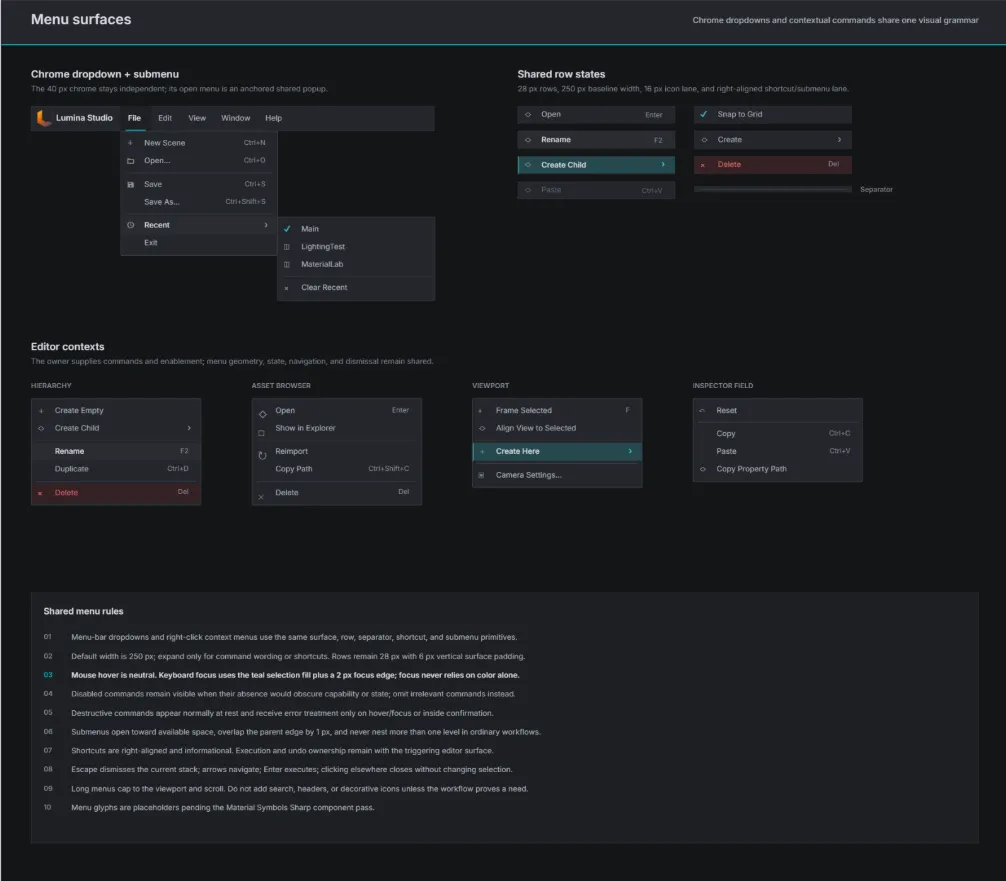
Aside from engine work, I have been doing some visual updates for the engine, and thanks to penpot, I now have tools to create some UI/UX for Lumina Studio.
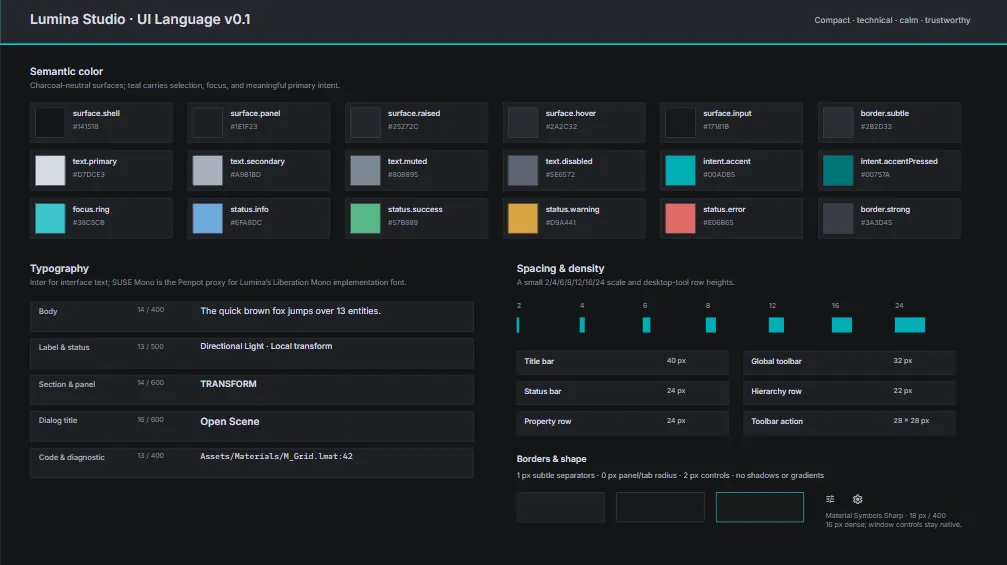
and these are some of the design languages that I want to incorporate to the game engine
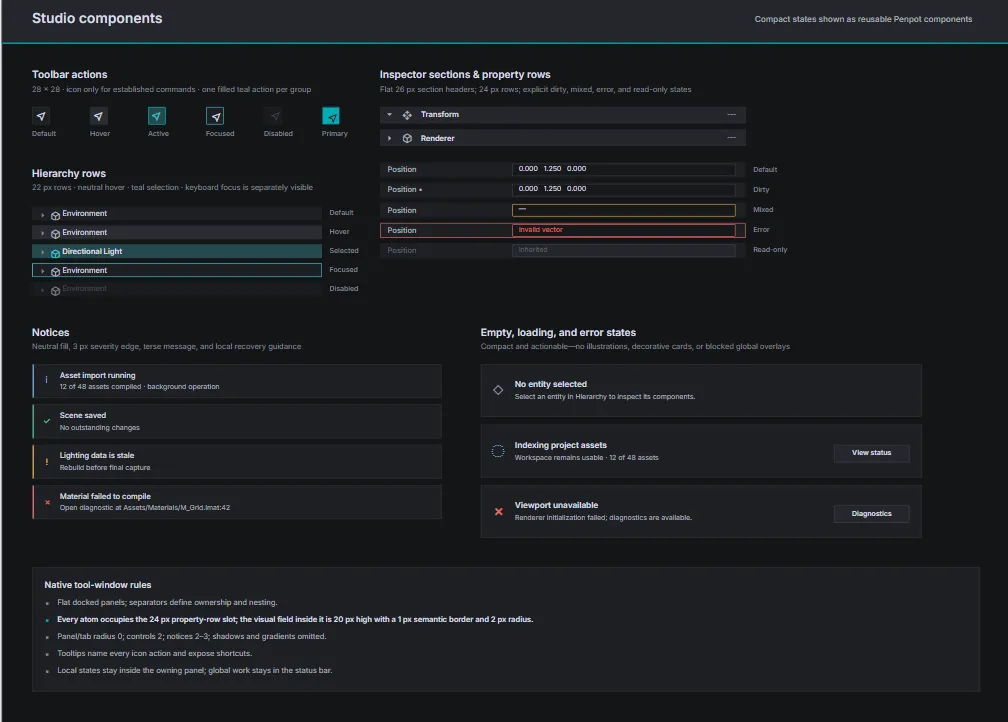
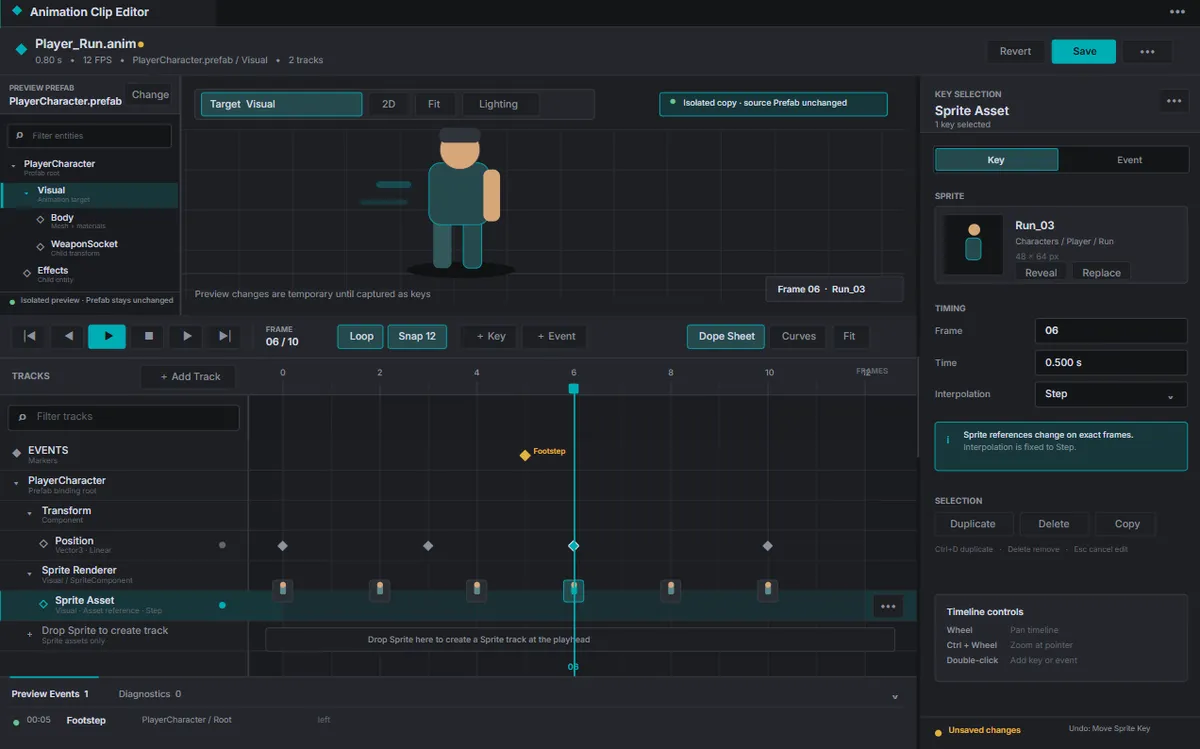
and one of the biggest changes that will happen would be the improvement of the animation editor:
So yeah, still a long way to go!